
Appearance
How to Integrate Social Media Content Into Automated Newsletters (Technical Guide)
Social media content can be very valuable in a newsletter, especially for surfacing fresh conversations, opinions, examples, and trends. But integrating it reliably is harder than RSS or YouTube.
This guide covers the main technical approaches and their trade-offs.
The core challenge
Different platforms have different API rules, permissions, rate limits, and restrictions. Some content is not easy to pull at scale. Some platforms are much more closed than RSS. Some integrations require app review or business accounts before you can access meaningful amounts of data.
Because of this, social media is best treated as a supplemental source rather than the foundation of an automated newsletter workflow.
Option 1: Official APIs
The most straightforward approach is using a platform's official API. This is reliable and well-documented, but it comes with trade-offs.
Access can be expensive. For example, accessing large volumes of content from X (formerly Twitter) requires a paid API tier, which can make some newsletter workflows difficult to justify at scale. Other platforms may require business accounts or app review before granting access.
Official APIs are also subject to change. Platforms can deprecate endpoints, change pricing, or tighten access policies with little notice.
Option 2: Headless browsers
When official APIs are limited, some teams use headless browsers to read and extract content directly from publicly available pages. A headless browser loads the page, extracts the text and structure, and makes it available for summarization, topic detection, or newsletter snippets.
This means you can summarize a post, quote key points, or create a short newsletter blurb without relying entirely on platform integrations.
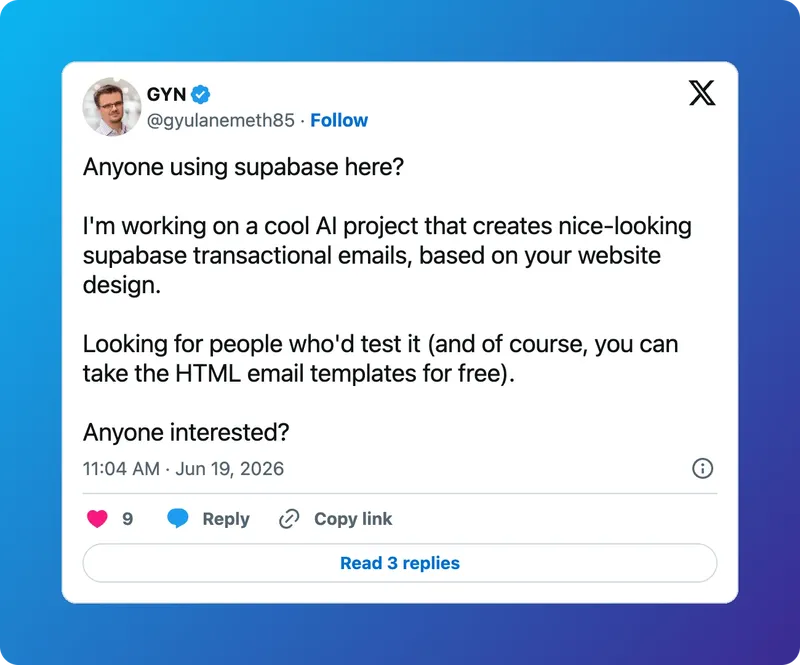
The same approach can also be used to capture social posts visually. Some teams generate screenshots of posts and include those screenshots in newsletters while linking back to the original content. This can help preserve the original look and context of a post, especially when visual presentation matters. Adding gradient backgrounds behind the screenshots can make them look more polished.
Reliability concerns
Neither approach is consistently reliable. Social media pages change frequently, platforms update how content is rendered, and automated traffic may be blocked or rate-limited. Social media embed systems can also break unexpectedly, particularly on platforms like Instagram.
Because of that, content extraction and screenshot-based approaches should be treated as supplemental options rather than the primary mechanism for an automated newsletter.
A note on RSS feed formatting
If your newsletter workflow combines social content with RSS feeds, keep in mind that RSS feeds are not consistently structured. Some feeds include images in different tags or properties, while others place large chunks of HTML inside the description field. A few provide clean summaries; others include nearly the full article text. You will need to normalize this input before passing it to AI summarization to get reliable results. Build a preprocessing step that extracts only the fields you actually need and strips HTML where necessary.
Recommended approach
Start with RSS and YouTube, which are stable, predictable, and well-supported. Once those are working reliably, evaluate whether social media integration makes sense for your specific use case and whether the technical overhead is worth it.
If you do add social content, build in monitoring and fallbacks. Assume things will break and design accordingly.