
Appearance
BlueFox Email vs Loops
On paper these two look more alike than most of the tools we compare. Both are no-code. Both handle marketing and transactional email in one place. Both put every feature on every plan instead of gating things behind tiers. So the differences that matter aren't about who has a longer feature list; they're quieter than that: how you get billed, how much of a design system you want, how you organize and target contacts, and whether you ever want to run sending on your own infrastructure.
The biggest of those is billing, and it's worth saying up front because it flips the usual math. Loops charges for the subscribed contacts you store and lets you send to them as much as you like. BlueFox Email charges for the emails you send and never charges for contacts at all. They're close to mirror images, and which one is cheaper depends entirely on the shape of your sending. Numbers reflect public pricing and documentation as of October 2026.
The short version
Loops is built for SaaS teams, and it shows in the best way. If you want a polished, opinionated product that ties email to what users do in your app, syncs product and billing data from tools like Stripe and Segment, and gives you one predictable price no matter how often you send, Loops is a lovely tool, and software companies such as Framer, Ollama, and Flighty use it for exactly that.
BlueFox Email makes more sense if your list is large or your sending is lighter, if you work across several brands or clients and want them organized in one account, if you sometimes need raw HTML, or if you want the option to send through your own AWS account. Its per-send pricing means a big or mostly-dormant audience doesn't inflate your bill, and it isn't built around SaaS use cases the way Loops is.
Most of this comes down to one number: how many emails you send per subscriber. The rest of the page works through that and the smaller differences around it.
Two pricing models that are mirror images
This is the part to slow down on, because it's where the decision usually gets made.
Dated, sourced entries on Loops's pricing are in the Loops pricing history.
Loops (priced per subscribed contact, unlimited sends)
Loops prices paid plans by subscribed contacts and includes unlimited sends, marketing and transactional, with no per-email and no per-seat charges. Unsubscribed contacts don't count toward pricing, and transactional emails to users outside your marketing audience are included at no extra charge: per Loops' billing docs, transactional recipients don't count as contacts unless they also receive marketing email. The free plan includes unlimited contacts but only up to 4,000 total emails (marketing and transactional combined) to your 1,000 newest contacts in any rolling 30-day window, with Loops branding.
| Subscribed contacts | Loops price |
|---|---|
| Free plan | $0 (up to 4,000 emails per rolling 30 days to your 1,000 newest contacts, Loops branding) |
| 5,000 | $49/mo |
| 10,000 | $99/mo |
| 25,000 | $199/mo |
| 50,000 | $249/mo |
| 100,000 | $399/mo |
| 200,000 | $799/mo |
Loops' pricing slider runs from 100 to over 1.5 million subscribers, with all features included and no charge for team seats. Paid accounts can send up to 1,000 emails per second, free accounts up to 10.
BlueFox Email (priced per send)
BlueFox Email does the opposite. You pay per send, never per contact. One send is one email delivered to one recipient, and transactional, triggered, and campaign emails all cost the same. Contacts are unlimited and free, every plan and pack includes every feature, and sends are bought at the workspace level and shared across all projects. All prices below exclude VAT, which is applied at checkout based on your local rate.
There are two ways to pay (a recurring monthly plan or one-time send packs) and two ways to send: Standard, where BlueFox Email manages the sending infrastructure, or BYO AWS SES, which gives 2× the sends at the same price while you pay AWS directly for sending. New workspaces get a one-time allowance of 3,000 free sends on Standard pricing or 6,000 on BYO SES pricing, valid for 12 months, with no credit card required.
Monthly plans (excl. VAT)
Best for regular, steady sending.
| Plan | Price / month | Standard sends / month | BYO AWS SES sends / month |
|---|---|---|---|
| Starter | $6 | 5,000 | 10,000 |
| Basic | $9 | 10,000 | 20,000 |
| Growth | $19 | 25,000 | 50,000 |
| Pro | $35 | 50,000 | 100,000 |
| Business | $59 | 100,000 | 200,000 |
| Scale | $129 | 250,000 | 500,000 |
| Elite | $239 | 500,000 | 1,000,000 |
Each billing cycle brings a fresh sending allowance, and unused sends do not roll over. You can cancel anytime and keep using your allowance until the current billing period ends, or upgrade anytime by paying the price difference, with the new plan starting right away.
One-time send packs (excl. VAT)
Best for occasional or unpredictable volume, or for teams that prefer to pay upfront.
| Pack | Price | Standard | BYO AWS SES |
|---|---|---|---|
| Essential | $50 | 50,000 sends ($1.00 per 1,000) | 100,000 sends ($0.50 per 1,000) + AWS fees |
| Premium | $300 | 500,000 sends ($0.60 per 1,000) | 1,000,000 sends ($0.30 per 1,000) + AWS fees |
Pack sends are valid for 12 months from the date of purchase, and you're never billed again unless you buy another pack. Packs stack with no cap, and the oldest sends are always used first, so the newest last the longest.
AWS fees (BYO SES only)
In BYO mode, AWS bills you directly for sending, separately from your BlueFox Email plan or pack. At AWS's à la carte rate of $0.10 per 1,000 emails, 100,000 sends add about $10, and every BYO figure in this comparison uses that rate.
If your AWS account is new, check which SES pricing option it's on. Since July 21, 2026, new SES accounts (and account/region combinations with no metered SES activity since June 1, 2025) start on the SES Essentials plan at $0.16 per 1,000 emails for the first 10M per month. You can switch to à la carte pricing at any time.
Dedicated IP
Teams on managed sending can add a dedicated sending IP for $50/month (excl. VAT), at any volume. The IP is reserved for your workspace, so your sender reputation depends only on your own sending. To set one up, email hello@bluefox.email. On BYO AWS SES there's nothing to buy from BlueFox Email: dedicated IPs are set up and billed in your own AWS account.
Custom volume
If you need more than the published plans and packs cover, contact sales at hello@bluefox.email. The team sets up a discovery call to plan your volume and onboarding.
How to read the scenarios
Each scenario below states its own subscriber count and send volume instead of assuming a typical sending frequency, because that's exactly the variable that decides which model is cheaper. Loops prices are from its pricing page for the subscribed-contact tier each scenario needs. All BlueFox Email prices exclude VAT, and BYO SES figures include AWS fees at $0.10 per 1,000 emails.
Scenarios: monthly plans
Monthly plans suit regular, steady sending, so these scenarios compare Loops' monthly price with the BlueFox Email plan that fits each month's volume.
Small list, moderate sending (5,000 subscribers × 5 emails/month = 25,000 sends/month):
- Loops: $49/month.
- BlueFox Email Standard: Growth at $19/month (25,000 sends).
- BYO SES: Growth at $19/month (50,000 sends) plus ~$2.50 AWS = ~$21.50/month.
Small list, high-frequency lifecycle program (5,000 subscribers × 20 emails/month = 100,000 sends/month):
- Loops: $49/month, unchanged no matter how much you send.
- BlueFox Email Standard: Business at $59/month (100,000 sends).
- BYO SES: Pro at $35/month (100,000 sends) plus ~$10 AWS = ~$45/month.
Here Loops' flat price beats BlueFox Email's managed sending. At this list size the crossover sits at about 10 emails per subscriber per month: below that, BlueFox Email is cheaper; above it, Loops' unlimited sends win on Standard, while BYO SES stays a few dollars lower up to about 20.
Large list, weekly newsletter (50,000 subscribers × 4 emails/month = 200,000 sends/month):
- Loops: $249/month.
- BlueFox Email Standard: Scale at $129/month (250,000 sends).
- BYO SES: Business at $59/month (200,000 sends) plus ~$20 AWS = ~$79/month.
SaaS with a large user base and a smaller marketing audience (100,000 users receiving about 2 transactional emails each, plus a twice-monthly newsletter to 25,000 subscribers = 250,000 sends/month):
- Loops: $199/month. Transactional-only recipients don't count as contacts, so only the 25,000 newsletter subscribers are billed. If all 100,000 users also received marketing email, they'd all count, and the price would be $399.
- BlueFox Email Standard: Scale at $129/month (250,000 sends).
- BYO SES: Scale at $129/month (500,000 sends) plus ~$25 AWS = ~$154/month.
Loops' free transactional sending narrows the gap here, and BYO SES is the pricier BlueFox Email option at this exact volume because BYO Business stops at 200,000 sends.
Very large audience, light sending (200,000 subscribers × 1 email/month = 200,000 sends/month):
- Loops: $799/month.
- BlueFox Email Standard: Scale at $129/month (250,000 sends).
- BYO SES: Business at $59/month (200,000 sends) plus ~$20 AWS = ~$79/month.
Scenarios: one-time packs
Packs suit occasional or unpredictable sending. BlueFox Email pack sends stay valid for 12 months, so each scenario below looks at a full year. Loops bills every month for your subscribed contacts, whether you email them that month or not.
Occasional campaigns (10,000 subscribers × 4 sends a year, such as a quarterly update = 40,000 sends/year):
- Loops at 10,000 subscribers kept all year: $99 × 12 = $1,188/year.
- BlueFox Email Standard: one Essential pack ($50) covers the whole year, with 10,000 sends to spare.
- BYO SES: one Essential pack ($50, 100,000 sends) plus ~$4 AWS = ~$54/year.
A big list, every few months (50,000 subscribers × 1 send every 3 months, such as a seasonal announcement = 200,000 sends/year):
- Loops at 50,000 subscribers kept all year: $249 × 12 = $2,988/year.
- BlueFox Email Standard: four Essential packs ($200) cover exactly 200,000 sends, bought before each send if you prefer.
- BYO SES: two Essential packs ($100, 200,000 sends) plus ~$20 AWS = ~$120/year.
Cost summary: The model follows the sending shape. With a small list emailed often, Loops' flat price is hard to beat: at 5,000 subscribers and 20 emails a month it's about 17% cheaper than BlueFox Email's managed sending. As the list grows relative to how often you email it, the balance flips: BlueFox Email comes in roughly 35% to 90% lower in the remaining monthly scenarios, and for occasional senders a pack is about 93% to 96% cheaper than keeping a Loops plan running all year. Loops' free transactional sending to non-subscribers is a genuine advantage if most of your volume is product email to users who never get marketing.
Designing the emails
Both are no-code and both render well across clients, so this comes down to depth versus simplicity.
Loops has one of the cleaner editors in the category. It feels modern and uncluttered, closer to writing in a document than wrestling a builder, with a writing mode, keyboard and Markdown shortcuts, columns, dynamic personalization, and dynamic images pulled from contact or event data. It also has a real reuse layer: themes hold your styles and components hold reusable content, and changes to either cascade to every email that uses them. Behind the scenes it renders through an extended version of MJML for compatibility across clients. By design, Loops doesn't accept raw HTML email content; if you need more control, you can import emails built with MJML, Emailify, or Email Love. What it doesn't center on is multi-brand work in one place: rather than separate projects under one account, Loops' team switcher lets you create and move between multiple accounts.
BlueFox Email's builder, powered by the Chamaileon SDK, goes further in the same direction. You assemble emails from reusable blocks (headers, footers, CTA rows), define brand variables (colors, fonts, logos) and components (buttons, dividers) once, and reuse them so nothing drifts off-brand, which matters most when you run several brands or a large template library. Because a BlueFox account holds multiple projects, each with its own contacts, templates, and brand settings, separate brands or clients can live side by side under one login. Personalization uses Handlebars with loop and conditional elements, and the builder includes a stock photo library, a photo editor, dark mode preview, and VML fallbacks that keep background images intact in Outlook specifically. For anyone who wants out of the visual builder, there's a custom code element for raw HTML inside it, plus standalone Raw HTML and Plain Text editors for simpler messages that don't need the full design treatment.
That builder also drives one capability Loops doesn't directly match: data feeds. You can point an email at a live external source (RSS or JSON), loop over the items at send time, and render them as real content, images included, so a newsletter, a digest, or a "latest articles" block stays current without anyone editing the template. Loops builds dynamic content from contact, event, and transactional data (including repeatable array blocks in transactional emails) rather than external feeds, so if pulling in outside content matters to you, that's a point for BlueFox.
If you're one team sending clean, consistent email, Loops' editor will feel faster and lighter, and its themes and components keep a single brand consistent. If you're an agency or a team managing multiple brands in one account, or you want raw HTML when you need it, BlueFox's builder is the better fit.

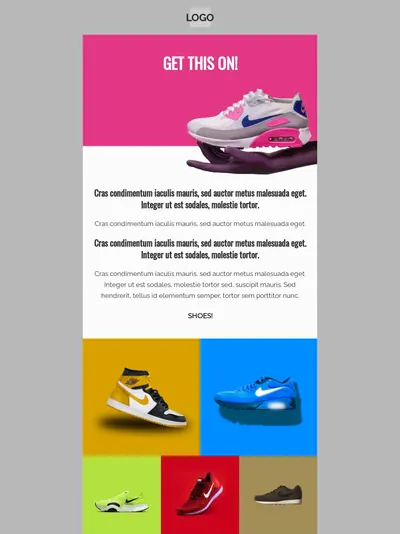
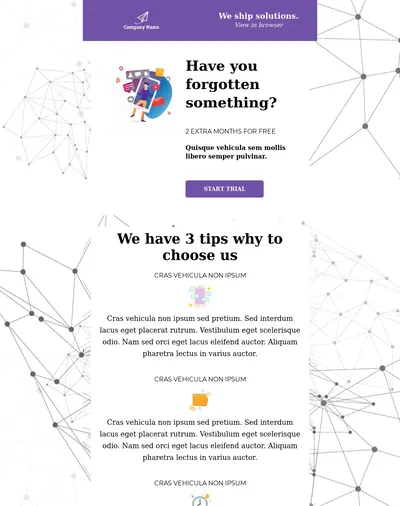
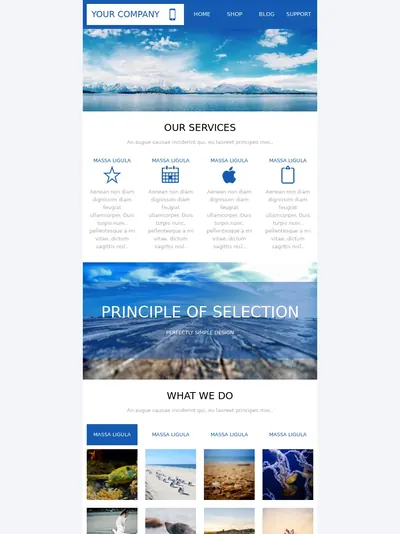
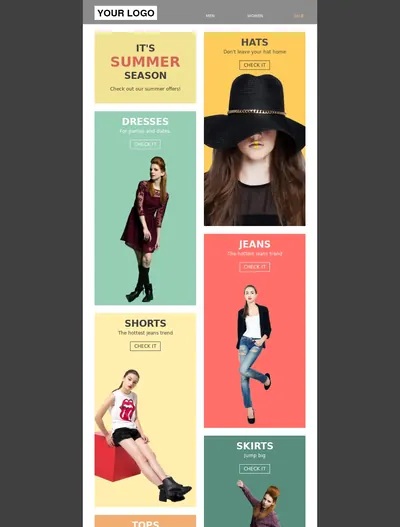
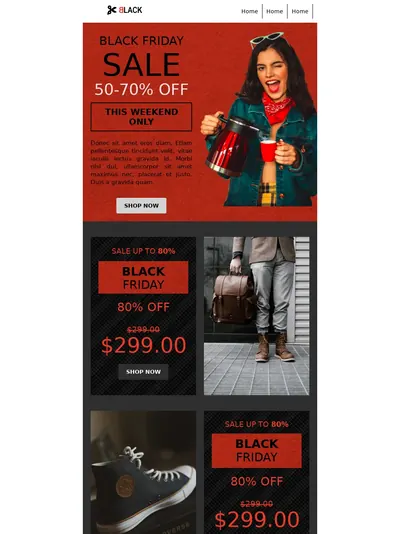



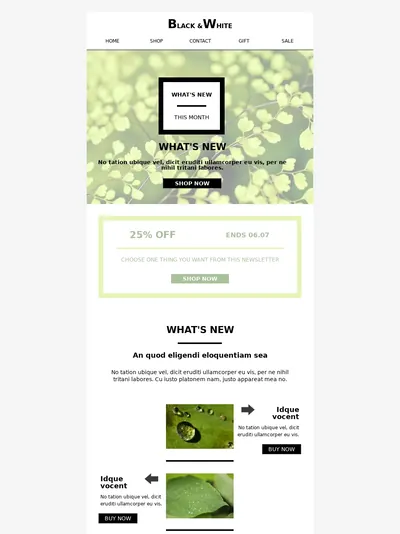
Template 1 of 10: Marketing Agency Newsletter
Contacts, lists, and segments
It's easy to fixate on sending and skip the part you actually spend the most time in: organizing who gets what. Both tools are well built here, closer to each other than anywhere else in this comparison, but they lean in different directions.
BlueFox treats contacts as central records that can belong to many lists at once. Lists show up on a hosted subscription preferences page where people choose what they want to receive, or you can keep certain lists private, hidden from that page and used for internal, test, or exclusive sends. You can store typed custom properties, apply tags in bulk, and every contact carries a clear status per list: unverified, active, paused, or unsubscribed. That paused state is a small thing that does real work: it lets someone step away for a while instead of leaving for good, which tends to take pressure off your unsubscribe rate.
Segments are where BlueFox is stronger than its simplicity suggests. You build them from properties and tags with full AND/OR logic and a proper set of operators (equals and does-not-equal, contains and does-not-contain, is-empty, greater or less than, and so on), or from engagement: opened, clicked, or received and their negatives, within a window of days. A segment can target your whole audience or a single list, it updates itself as contacts change, and it drops straight into campaigns and automations. Sign-up forms are reusable objects you style once and attach to one or more lists, with a built-in CAPTCHA or Cloudflare Turnstile and form-level double opt-in.
Loops comes at the same job from a product-data angle, and it's good at it. Its model is built on contacts, contact properties, and events you send from your app; its segments stay in sync from properties and engagement and are reusable across campaigns and workflows; and it has sign-up forms, mailing lists with a subscriber preference center, and double opt-in. If your targeting is mostly driven by what users do inside your product, Loops' event-native model is a natural fit. If it's driven by stored attributes, tags, and email engagement, BlueFox's operator-rich segments and tagging are at least as capable, with the extra niceties of pause-instead-of-unsubscribe and private lists for testing.
The honest read is that neither tool wins this outright. Loops is the more product-event-shaped system; BlueFox is the more list-and-attribute-shaped one. Most teams will find the model that matches how they already think about their audience.
How much of the infrastructure you own
Both tools run managed sending and handle the deliverability basics well. The difference is how far you can reach underneath when you want to.
Loops keeps everything on its own infrastructure, and it has clearly put work in: it sends from its own dedicated IP addresses alongside shared IPs, analyzes email content for spam triggers, suspicious links, and formatting issues before sending, and has guardrails that pause or throttle sending when it detects problems such as unusual bounce rates. It also keeps transactional and marketing email separate so a problem with one doesn't hurt the other. You must send from your own domain (Loops recommends a subdomain), and it provides the SPF, DKIM, and DMARC records for you, plus guidance for BIMI. What it doesn't offer is a way to run sending on your own account, and it doesn't publicly document per-customer dedicated IPs or reputation isolation, which is worth confirming directly if isolating one tenant's reputation from another is a hard requirement for you.
BlueFox Email gives you that layer of control. You can stay on its managed infrastructure, or switch on bring-your-own-SES and send through your own AWS account, where your reputation is fully isolated and shaped only by your own behavior, and where every plan and pack carries double the sends. On managed sending, a dedicated IP is available at $50/month (excl. VAT), requested by email, with no enterprise tier or minimum volume required; in BYO mode, you set one up directly through your own AWS SES account instead, so it's never a separate BlueFox charge there. The dashboard shows your live bounce rate against a 2.5% ceiling and complaint rate against a 0.05% ceiling, bounced and complained addresses go onto a suppression list automatically, and you can bulk-clean them from your contacts to keep the account healthy.
For most single-product senders, Loops' managed setup is more than enough and pleasantly hands-off. The reasons to want BlueFox here are specific: you need reputation isolation, you want to own the underlying AWS account, or you're sending on behalf of multiple clients and want each one's reputation kept separate.
Automation, product data, and the SaaS-shaped parts
This is where Loops is at its strongest, and it's fair to say so plainly.
Loops is built around product events. You send events from your app (a signup, an upgrade, a feature used) and trigger workflows from them, or from new contacts and property changes, with timers, branching on contact properties, pausing, and experiments for A/B testing emails inside a workflow. Goals track conversions from campaigns. Its integrations lean into the same world: Stripe (syncing customer and invoice events to contacts and triggering emails on new customers, successful payments, or failed payments), Segment, HubSpot, Salesforce, PostHog, Clerk, Supabase, Zapier, Make, and more, plus incoming webhooks, an API with official SDKs for JavaScript, Go, PHP, and Ruby, a CLI, and an official MCP server for agent workflows. If your email lives and dies by what users do in your product, this is a strong, coherent setup.
BlueFox Email's automation comes at the same idea from the marketing side. Its visual builder triggers on contact and segment activity (contact added or updated, entering or leaving a segment, recurring time-based schedules) and carries a wide node set: send, timer, audience filter, branching with conditions, plus notify, set-value, manage-tags, and webhook nodes. Its most useful trick is that you can edit a running automation and choose whether the change applies to new contacts only or to everyone already in the flow, so you tweak sequences instead of rebuilding them. Product events can still drive it: your app updates contact properties through the API, and segments and triggers react to them. And like Loops, BlueFox offers an open-source, local MCP server for AI agents, alongside a Supabase auth-email path and a Zapier connector.
On the reporting side, BlueFox Email is delivery and engagement focused, sliced by account, project, campaign, transactional email, triggered email, and list, with live bounce and complaint ratios against the production thresholds, per-automation-node stats, and contact-level CSV export. There's no revenue attribution or benchmarking, and no equivalent to Loops' in-workflow experiments or conversion goals.
Sent6,200
Failed0
Opens4,805
Unique Opens3,210
Clicks748
Unique Clicks182
Bounced8
Complaints0
If you want email wired tightly into product events and your billing system, Loops is ahead. If you want flexible, marketer-driven flows you can edit live and reporting focused on delivery health, BlueFox fits better.
Who each one is really for
Loops makes a deliberate choice to be email for SaaS, and it's good at that narrow thing; its own pricing page says that if you need to send email for your SaaS, Loops is the right choice. The company was founded in 2022, the product is used by software companies including Framer (which sends all of its email through Loops), Ollama, Flighty, and Spline, it holds a SOC 2 Type II report published on its trust center, and the experience is clean from onboarding onward. The same focus is its boundary: it's an email tool rather than a broader marketing suite, and if you're not a software product, much of what makes Loops nice doesn't apply to you.
BlueFox Email is a smaller, founder-led company, which means support is direct access to the people building the product on every plan, not just the expensive ones. Founder Gyula Németh has worked in HTML email since 2013 and previously built edmdesigner.com, chamaileon.io, and emailhero.io, and the team behind BlueFox is growing, so that direct access isn't riding on any one person indefinitely. It isn't tied to a single use case, so agencies, SaaS teams, and other senders all fit. The honest trade-off is the mirror of Loops': a smaller company has a thinner knowledge base, fewer third-party tutorials, and a smaller integration list than Loops has built.
So, which one
Start with your sending shape, because it settles most of it. If you send often to a focused list, want email wired into product events and billing data, and like the idea of one flat price as you grow, Loops is a strong, well-made choice, and the SaaS focus is a feature rather than a limitation for the teams it's built for. If your list is large or lightly mailed, if you want a design system or work across brands, or if you want to own your sending infrastructure, BlueFox Email fits the way you work and usually costs less, because it bills for the mail you send rather than the contacts you keep.
On the day-to-day middle, contacts, segments, forms, and the like, they're close enough that it won't be the deciding factor for most teams. The decision tends to come back to the two things they genuinely disagree on: what you're paying for, and how much of the stack you want to own. Work those out and the rest follows.
Still comparing? See how BlueFox Email stacks up against Resend, MailerLite, and ActiveCampaign.
Pay for the emails you send, not the contacts you store
Every feature included on every plan, marketing and transactional together. Start free with 3,000 sends, or bring your own AWS account when you're ready to scale.