
Appearance
BlueFox Email vs Constant Contact
Constant Contact has been around since 1995 and is backed by Clearlake Capital Group, which re-established it as a standalone company in 2021 and added fresh growth capital in October 2025. It serves nearly half a million small businesses and nonprofits with a genuinely broad toolkit: email, SMS, social posting, event ticketing, segmentation, and an ads manager, all billed by how many contacts you keep on file.
BlueFox Email is a narrower product built around a different question. Instead of "how many marketing channels can we put under one roof," it asks "how do we make email itself, transactional and marketing both, as cheap and unrestricted as possible." You pay per send, contacts are always free, and every feature is on every plan including the free tier.
Those two starting points lead to genuinely different tools, not just different price tags on the same tool. This page covers where each one wins plainly, including one gap in Constant Contact that's worth knowing about before you sign up for anything. Numbers reflect public pricing and documentation as of October 2026.
The short version
If you're a small business or nonprofit that wants one dashboard for email, social posts, text messages, event registration, and a bit of paid ads, and you'd rather call a person on the phone than read documentation, Constant Contact is built for you. Its inbox placement benchmarks well, its editor is easy to pick up, and live phone and chat support is included even on the cheapest plan.
The rest of the bargain deserves a hard look. You pay by contact count rather than by how often you actually email people, there's no permanent free plan, and the price climbs steeply as your list grows. Automation stays thin until the top tier. Users who work in the editor regularly report instability, and billing (non-refundable prepayment outside the money-back window, automatic moves into pricier contact tiers) draws more complaints than anything else about the product.
If any part of your email is transactional (password resets, receipts, shipping updates, magic links), Constant Contact isn't built to send it: its API has no transactional or triggered single-send endpoint, so sending those means adding a separate provider. That's not a trade-off to weigh, it's a hard capability gap, and it's the single clearest reason to look at BlueFox Email instead: one price covers marketing and transactional together, contacts are never billed, and a large list you rarely email costs the same as a small one. BlueFox also gives you the option to run sending through your own AWS SES account, which Constant Contact doesn't offer.
Neither one is a universal upgrade over the other. Constant Contact's event tools, social scheduling, and phone support are real, useful things that BlueFox doesn't try to replicate. Read on for where each side of that trade actually lands.
What Constant Contact can't do at all
This is worth its own section because it's not a matter of degree, the way most of this comparison is. Constant Contact is a marketing-email platform. Its V3 API covers contacts, lists, tags, custom fields, segments, bulk imports, events, reporting, and email campaigns (marketing messages distributed to a list or segment, with scheduling and A/B tests). There is no transactional or triggered single-send endpoint: no general-purpose way to fire a one-off password reset, order receipt, or shipping notice to an individual recipient from your application. Users still ask on Constant Contact's own community forum how to send order confirmations and shipping emails through the platform, and Constant Contact's API support team has confirmed there's no endpoint for sending to a single contact. The workaround they suggest is to build a list containing just that contact, schedule a campaign to it, then clear the list again, which works for an occasional message but isn't a way to run app-triggered email.
That means any business running Constant Contact for its newsletter and event promotion still needs a second tool, a SendGrid, Postmark, or raw AWS SES account, the moment it needs to send a receipt. BlueFox Email doesn't force that split. The same plan or pack covers a campaign, a triggered password-reset email, and an automation step, because there's no separate "transactional product" to subscribe to.
If your email is entirely newsletters, event invites, and promotions with nothing app-triggered, this gap won't touch you. If there's any transactional mail in your future, it's the first thing to plan around.
Two ways of pricing the same problem
Constant Contact charges by how many contacts you store, with a monthly email-send allowance tied to your plan and contact tier. BlueFox Email charges by how many emails you actually send, with contacts always free.
Dated, sourced entries on Constant Contact's pricing are in the Constant Contact pricing history.
Constant Contact (priced per contact)
Constant Contact has three self-serve plans, each priced by contact tier, plus a custom-priced Multi-Account option for teams that need five or more accounts. Prices below are Constant Contact's published monthly USD rates.
| Contacts | Lite | Standard | Premium |
|---|---|---|---|
| 0 to 500 | $12/mo | $35/mo | $80/mo |
| 501 to 1,000 | $30/mo | $55/mo | $110/mo |
| 1,001 to 2,500 | $50/mo | $75/mo | $150/mo |
| 2,501 to 5,000 | $80/mo | $110/mo | $200/mo |
| 5,001 to 10,000 | $120/mo | $160/mo | $275/mo |
| 10,001 to 15,000 | $180/mo | $210/mo | $325/mo |
| 15,001 to 20,000 | $230/mo | $260/mo | $375/mo |
| 20,001 to 25,000 | $280/mo | $310/mo | $425/mo |
| 25,001 to 30,000 | $310/mo | $340/mo | $455/mo |
| 30,001 to 35,000 | $340/mo | $370/mo | $485/mo |
| 35,001 to 40,000 | $370/mo | $400/mo | $515/mo |
| 40,001 to 45,000 | $400/mo | $430/mo | $545/mo |
| 45,001 to 50,000 | $430/mo | $460/mo | $575/mo |
| Above 50,000 | Contact sales | Contact sales | Contact sales |
| Plan | Monthly send allowance | Users | Automation | Segments |
|---|---|---|---|---|
| Lite | 10× your contact tier | 1 | 1 automation template | 1 custom segment |
| Standard | 12× your contact tier | 3 | 3 automation templates, AI campaign builder, resend to non-openers | 10 custom segments |
| Premium | 24× your contact tier | Unlimited | Unlimited templates, custom automations, ecommerce templates | Unlimited custom segments |
Sends beyond your allowance cost $0.002 each. Paying annually saves 15%, and nonprofits get 20% off with a 6-month prepay or 30% off with a 12-month prepay, one of the more generous nonprofit discounts in the category. Inbox preview is a $10/month add-on on every plan, and SMS (US customers only) starts at $10/month on Lite and Standard, with 500 messages a month included on Premium.
There's no permanent free plan. Constant Contact's free trial lasts 30 days and allows up to 100 total email sends; the base Lite, Standard, or Premium plan comes with a 30-day money-back guarantee, though add-ons aren't refundable and you have to call Billing to get the refund. There's also no dedicated IP on standard accounts, covered in the deliverability section below. You can cancel online in your account settings, in the mobile app, or by phone, though Constant Contact's cancellation help has stated that prepayments are non-refundable even if you cancel before the end of your term.
One risk that doesn't appear on any pricing page: plan contents change. When Constant Contact restructured into Lite, Standard, and Premium in June 2025, reviewers noted that features such as A/B testing and advanced segmentation now start at Standard rather than the entry plan. Constant Contact's FAQ on that change says existing customers keep the features they already have unless they switch plans. That hasn't matched every customer's experience: on r/Emailmarketing, a marketer at a small arts nonprofit described a batch of new features arriving in an update, using them for about five months, then being told they weren't included in the account's plan, including easier campaign analytics and previewing emails across browsers and email clients. Budget for the plan you're on today, and check in writing which features are included.
BlueFox Email (priced per send)
BlueFox Email charges per send, never per contact. One send is one email delivered to one recipient, and transactional, triggered, and campaign emails all cost the same. Contacts are unlimited, every plan and pack includes every feature, and sends are bought at the workspace level and shared across all projects. All prices below exclude VAT, which is applied at checkout based on your local rate.
There are two ways to pay (a recurring monthly plan or one-time send packs) and two ways to send: Standard, where BlueFox Email manages the sending infrastructure, or BYO AWS SES, which gives 2× the sends at the same price while you pay AWS directly for sending. New workspaces get a one-time allowance of 3,000 free sends on Standard pricing or 6,000 on BYO SES pricing, valid for 12 months, with no credit card required.
Monthly plans (excl. VAT)
Best for regular, steady sending.
| Plan | Price / month | Standard sends / month | BYO AWS SES sends / month |
|---|---|---|---|
| Starter | $6 | 5,000 | 10,000 |
| Basic | $9 | 10,000 | 20,000 |
| Growth | $19 | 25,000 | 50,000 |
| Pro | $35 | 50,000 | 100,000 |
| Business | $59 | 100,000 | 200,000 |
| Scale | $129 | 250,000 | 500,000 |
| Elite | $239 | 500,000 | 1,000,000 |
Each billing cycle brings a fresh sending allowance, and unused sends do not roll over. You can cancel anytime and keep using your allowance until the current billing period ends, or upgrade anytime by paying the price difference, with the new plan starting right away.
One-time send packs (excl. VAT)
Best for occasional or unpredictable volume, or for teams that prefer to pay upfront.
| Pack | Price | Standard | BYO AWS SES |
|---|---|---|---|
| Essential | $50 | 50,000 sends ($1.00 per 1,000) | 100,000 sends ($0.50 per 1,000) + AWS fees |
| Premium | $300 | 500,000 sends ($0.60 per 1,000) | 1,000,000 sends ($0.30 per 1,000) + AWS fees |
Pack sends are valid for 12 months from the date of purchase, and you're never billed again unless you buy another pack. Packs stack with no cap, and the oldest sends are always used first, so the newest last the longest.
AWS fees (BYO SES only)
In BYO mode, AWS bills you directly for sending, separately from your BlueFox Email plan or pack. At AWS's à la carte rate of $0.10 per 1,000 emails, 100,000 sends add about $10, and every BYO figure in this comparison uses that rate.
If your AWS account is new, check which SES pricing option it's on. Since July 21, 2026, new SES accounts (and account/region combinations with no metered SES activity since June 1, 2025) start on the SES Essentials plan at $0.16 per 1,000 emails for the first 10M per month. You can switch to à la carte pricing at any time.
Dedicated IP
Teams on managed sending can add a dedicated sending IP for $50/month (excl. VAT), at any volume. The IP is reserved for your workspace, so your sender reputation depends only on your own sending. To set one up, email hello@bluefox.email. On BYO AWS SES there's nothing to buy from BlueFox Email: dedicated IPs are set up and billed in your own AWS account.
Custom volume
If you need more than the published plans and packs cover, contact sales at hello@bluefox.email. The team sets up a discovery call to plan your volume and onboarding.
How to read the scenarios
Each scenario below states its own contact count and send volume instead of assuming a typical sending frequency. Constant Contact prices are its published monthly rates for the contact tier each scenario needs; paying annually takes 15% off. All BlueFox Email prices exclude VAT, and BYO SES figures include AWS fees at $0.10 per 1,000 emails.
Scenarios: monthly plans
Monthly plans suit regular, steady sending, so these scenarios compare Constant Contact's monthly price with the BlueFox Email plan that fits each month's volume.
Small list, monthly newsletter (500 contacts × 1 send/month = 500 sends/month):
- Constant Contact Lite: $12/month.
- BlueFox Email Standard: the 3,000 free sends cover the first 6 months, then Starter at $6/month.
- BYO SES: the 6,000 free sends cover the first 12 months, then Starter at $6/month plus a few cents in AWS fees.
Constant Contact's $12 also includes its event and social tools; BlueFox Email's $6 includes transactional sending from the same account.
Growing list with a welcome series (5,000 contacts, a weekly newsletter plus automations, about 20,000 sends/month):
- Constant Contact: Lite at $80/month (one automation template) or Standard at $110/month (three templates).
- BlueFox Email Standard: Growth at $19/month (25,000 sends).
- BYO SES: Basic at $9/month (20,000 sends) plus ~$2 AWS = ~$11/month.
Mid-size list (10,000 contacts × 5 sends/month = 50,000 sends/month):
- Constant Contact: Lite at $120/month or Standard at $160/month.
- BlueFox Email Standard: Pro at $35/month (50,000 sends).
- BYO SES: Growth at $19/month (50,000 sends) plus ~$5 AWS = ~$24/month.
Larger list, weekly newsletter (25,000 contacts × 4 sends/month = 100,000 sends/month):
- Constant Contact: Lite at $280/month or Standard at $310/month.
- BlueFox Email Standard: Business at $59/month (100,000 sends).
- BYO SES: Pro at $35/month (100,000 sends) plus ~$10 AWS = ~$45/month.
Large list, monthly broadcast (50,000 contacts × 1 send/month = 50,000 sends/month):
- Constant Contact: Lite at $430/month or Standard at $460/month, the last published tier before a sales quote.
- BlueFox Email Standard: Pro at $35/month (50,000 sends).
- BYO SES: Growth at $19/month (50,000 sends) plus ~$5 AWS = ~$24/month.
Any transactional mail at all: Constant Contact has no triggered send endpoint, so you add a second vendor for it. BlueFox Email covers it with the same plan or pack, no separate subscription.
Scenarios: one-time packs
Packs suit occasional or unpredictable sending. BlueFox Email pack sends stay valid for 12 months, so each scenario below looks at a full year. Constant Contact bills every month for the contacts you store, whether you send that month or not.
Occasional campaigns (10,000 contacts × 4 sends a year, such as a quarterly newsletter or event announcements = 40,000 sends/year):
- Constant Contact Lite (5,001 to 10,000 contacts) kept all year: $120 × 12 = $1,440/year, or $1,224 with annual billing.
- BlueFox Email Standard: one Essential pack ($50) covers the whole year, with 10,000 sends to spare.
- BYO SES: one Essential pack ($50, 100,000 sends) plus ~$4 AWS = ~$54/year.
A big list, every few months (50,000 contacts × 1 send every 3 months, such as a quarterly announcement or a seasonal sale = 200,000 sends/year):
- Constant Contact Lite (45,001 to 50,000 contacts) kept all year: $430 × 12 = $5,160/year, or $4,386 with annual billing. A larger list, say 200,000 contacts, would need a custom quote from sales.
- BlueFox Email Standard: four Essential packs ($200) cover exactly 200,000 sends, bought before each send if you prefer.
- BYO SES: two Essential packs ($100, 200,000 sends) plus ~$20 AWS = ~$120/year.
Cost summary: At 500 contacts the difference is a few dollars a month, and Constant Contact's price includes events and social tools that BlueFox Email doesn't offer. From there the gap widens with list size: BlueFox Email costs roughly 70% to 94% less in the monthly scenarios above, and for occasional senders, where Constant Contact keeps billing for stored contacts every month, a BlueFox Email pack comes in more than 95% lower. The bigger your list relative to how often you actually email it, the more Constant Contact's per-contact model costs you; the one place it can look competitive is a small, frequently emailed list that also wants events and social tools bundled in.
Designing and sending the email
Constant Contact's editor is easy to pick up, and reviewers consistently highlight ease of use. A drag-and-drop editor, an AI copy generator, and a large template library get a beginner to a decent-looking campaign fast. Inbox-preview rendering checks are a $10/month add-on, and dynamic content that changes by segment is reserved for Premium.
Users on Reddit tell a harsher story. In one r/MailChimp thread, a self-described experienced designer helping someone make simple color changes found that the color picker wouldn't offer a color they had just used, couldn't save colors to favorites or clear a color, and applied a block's background to overflow space at the bottom of the email instead of the block itself. In an r/Emailmarketing thread, a long-time user calls the editor "absolutely useless" and says support had them switch from browser to browser because it isn't compatible with many of them. Other users across Reddit report changes not saving, emails reverting to earlier versions after being sent, text colors changing unprompted, a floating block menu that takes several clicks to respond, getting kicked out of a text field mid-typing, slow loading for lists of recent sends, and slow image uploads, with support often suggesting a browser change or clearing the cache.
That's a sharp contrast with G2 and Capterra, where ease of use is a common positive. Those review sites lean toward people evaluating the platform, while frustration from day-to-day use tends to surface on Reddit and Trustpilot instead. If your emails are simple, the editor may suit you fine; if you'll spend real time in it, read those threads before you commit.
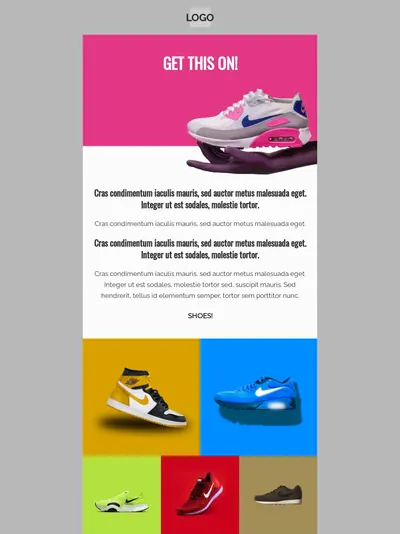
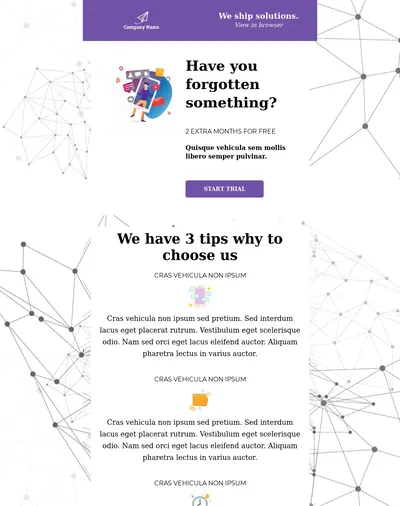
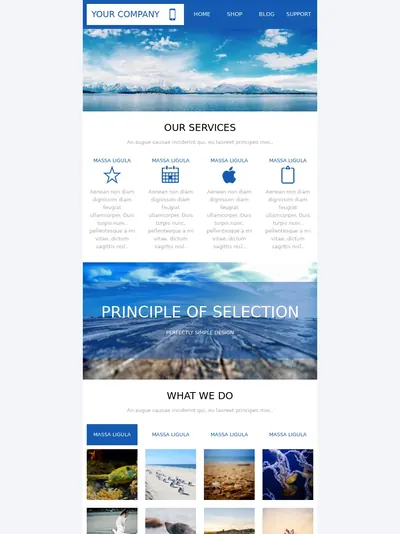
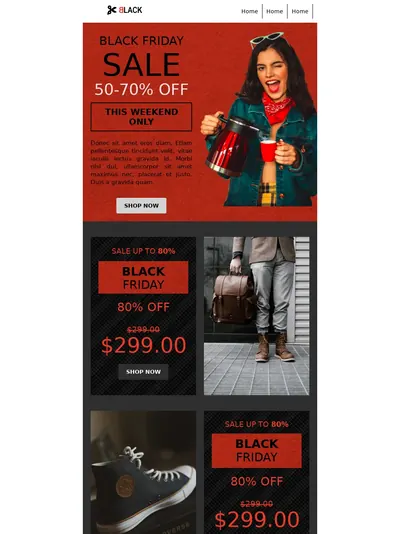
The honest comparison: Constant Contact's editor is friendlier on day one, and reviewers say so consistently. BlueFox's builder is designed for the people still using it on day four hundred. Powered by the Chamaileon SDK, it's built around reusable blocks (headers, footers, CTA rows) and project-level brand variables (colors, fonts, logos) that you define once and compose from, so consistency is enforced by the system rather than by whoever is building the email that day. It includes a stock photo gallery and photo editor, dark mode preview, and VML fallbacks that keep background images intact in Outlook. Personalization runs on Handlebars, with loop and conditional elements, on every plan rather than gated to the top tier.



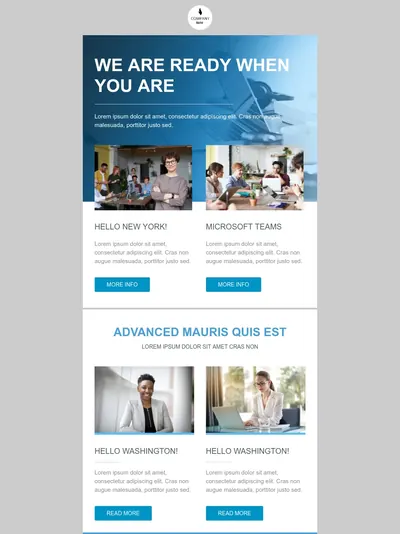

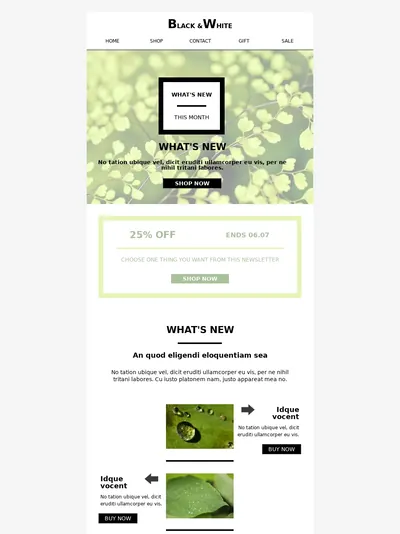
Template 1 of 10: Marketing Agency Newsletter
Automation: templates vs. a flexible builder
Constant Contact's automation leans heavily on pre-built templates. Its Automation Path Builder supports conditional splits that send each contact down a "Yes" or "No" path based on contact activity, list membership, custom fields, email engagement, tags, or shopping activity; each split is two-way, and moving a split means deleting it and adding a new one. Lite gets exactly one automation template. Standard has three, plus an AI campaign builder and automatic resend to non-openers. Full custom automations (building a workflow from scratch rather than starting from a template), unlimited templates, and ecommerce-specific automation templates are Premium-only.
BlueFox Email's automation builder is available in full on every plan, including the free tier. Triggers include Contact Added, Contact Updated (with from/to property conditions), Enter Segment, Leave Segment, and Time Based (recurring schedules against a whole list). Node types cover Send Email, Notify, Timer, Audience Filter (property, segment, or email activity), Branching with Condition sub-nodes for multiple paths, Set Value, Manage Tags, Webhook, and a defined Complete exit, plus Exit Criteria to leave a flow early. Running automations can be edited in place, with the choice to apply changes to upcoming-only or upcoming-and-in-progress contacts, so adjusting a sequence doesn't mean rebuilding it or duplicating it.
Where Constant Contact pulls ahead is ecommerce-specific triggers (abandoned cart, purchase events) built into its Premium templates when a store is connected, something BlueFox doesn't offer natively; those have to be wired through BlueFox's API instead. Where BlueFox pulls ahead is that its full node set, multi-path branching (rather than two-way splits), and live-editing are available from day one on every plan, rather than reserved for an $80/month tier.
Contacts and segments
Constant Contact scales segmentation with plan tier: one custom segment on Lite, ten on Standard, and unlimited on Premium. And because your contact tier is set by the highest number of active contacts you've had in your account, deleting contacts doesn't lower your tier once you've moved up.
BlueFox Email's segments use AND/OR logic with ten operators (equals, contains, is empty, greater/less than, and so on) against any contact property or tag, plus engagement conditions (opened, clicked, received, and their negatives) over a configurable day window, with no plan-based limit. Segments can scope to a single list or the whole project and drive both campaigns and automation triggers. Contacts carry a clear status (unverified, active, paused, or unsubscribed), and the paused state lets someone step away without fully leaving your list, which tends to reduce unsubscribe rates. None of this is billed, since BlueFox never charges for stored contacts at all.
The practical difference: Constant Contact's segmentation is capped by plan unless you're on Premium; BlueFox's has no plan-based cap, and it costs nothing extra no matter how large or inactive your list gets.
0of 1,240 contacts matched
You chooseWho should hear this?
- Active in last 30 days
- Plan: Pro
- Project created

We deliver toOnly the right people


Stop blasting everyone. Filter by behavior, plan, activity, or any property you've collected. Higher engagement, less waste, more revenue per send.
Deliverability: good numbers, two catches worth knowing
The headline numbers are genuinely good. In EmailToolTester's January 2024 test, Constant Contact reached a 91.7% deliverability rate and came second out of fifteen providers, and across twelve rounds of testing since 2017 it has scored between 87.7% and 93%, one of the most consistent records in that series. The platform runs complaint feedback loops with major mailbox providers, monitors blocklists, and has a dedicated deliverability team watching signups, list uploads, and content. That's real investment, and it's a genuine strength.
Two things complicate the picture, and neither shows up in an inbox-placement benchmark.
Your From address may not be yours. If you haven't self-authenticated your sending domain, Constant Contact rewrites your From address onto its shared ccsend.com domain. Its own example: carlscoffee@gmail.com becomes carlscoffee-gmail.com@shared1.ccsend.com, and automated and event emails are rewritten the same way. Constant Contact does this so unauthenticated mail still meets Google, Yahoo, and Microsoft's authentication requirements, but it means you're sending under a shared domain and a pooled reputation rather than your own. The fix is to self-authenticate your domain (free) and publish a DMARC policy, which you should do anyway. But the default, for a small business that can't edit DNS records or sends from a Gmail address, is a shared domain thousands of other senders also use.
Compliance reviews are opaque and phone-gated. Constant Contact follows a guideline of one spam complaint per 1,000 emails delivered. If your account is flagged, sending is disabled until you complete a review, and per Constant Contact's own compliance FAQ, reviews must be completed over the phone. That FAQ also declines to publish the exact threshold, saying it depends on "a myriad of information" its system weighs, and states that an account cancelled for compliance reasons is unlikely to be able to use the system again. Every shared-IP platform polices its senders; the specific friction here is that you can't see the line until you've crossed it, and you can't get back to sending without a phone call.
Underneath both is the same structural fact: standard Constant Contact accounts sit on its shared IP pools, and there is no dedicated IP on the three self-serve plans. When customers requested one, Constant Contact marked the idea "Not Currently Planned" for standard accounts, explaining that a dedicated IP needs consistently high volume (typically 100,000+ emails a week) to stay warm, and that its shared pools protect small and mid-volume senders. That's a defensible position for the senders they serve. It does mean your reputation is never fully your own.
BlueFox Email starts every project in a sandbox with no AWS account required, moves to production sending at your approved monthly volume after a review, and offers an optional bring-your-own-SES mode where reputation is fully isolated in your own AWS account. Production sending is from your own verified domain. A dedicated IP is a $50/month (excl. VAT) add-on for managed sending, requested by email, at any volume, or configured through your own AWS account in BYO mode. The dashboard shows live bounce rate against a 2.5% ceiling and complaint rate against a 0.05% ceiling, so the thresholds are visible before you cross them rather than after.
If you're a small sender who authenticates your domain and keeps a clean list, Constant Contact will deliver your mail well, and the benchmark numbers say so. If you want a reputation you actually control, or thresholds you can see before you cross them, BlueFox is the one that offers that.
The rest of the toolkit: social, SMS, events, and ads
This is where Constant Contact is plainly ahead, and it's worth conceding clearly rather than downplaying it. Every plan, including the cheapest, includes event registration with payments and product sales built in, plus social media posting to Facebook, Instagram, LinkedIn, and others, and a social media ads manager. SMS marketing (US customers only) starts at $10/month on Lite and Standard, with 500 messages a month included on Premium. Premium adds Facebook lookalike targeting, Google Ads Manager, SEO recommendations, and a $500 Google Ads credit. If you run a business that also sells event tickets or wants one dashboard for email, social, and light paid ads, that breadth is a genuine reason to pick Constant Contact, and BlueFox doesn't try to compete with it here at all.
BlueFox Email is deliberately narrower: email only, marketing and transactional both, with no social posting, no event ticketing, no SMS, and no ads manager. The trade is that the email side of the platform doesn't have a second product bolted onto it with separate billing, and nothing about email is gated behind a bundle you don't need.
If you're choosing based on "how many marketing channels does this replace," Constant Contact wins outright. If you're choosing based on "how good and how unrestricted is the email specifically," the rest of this page applies.
Integrations and the API
Constant Contact lists 300+ integrations, including Google, Microsoft, Facebook, Canva, LinkedIn, Vimeo, Zapier, Shopify, and Eventbrite, covering the kind of everyday small-business tool stack its customers actually use. Its current V3 API is a RESTful, OAuth 2.0-based API for managing contacts, lists, and campaigns, with a developer portal and a limit of 10,000 requests per day and 4 per second, but, as covered above, no way to trigger an arbitrary transactional send through it.
BlueFox Email's API covers contacts, subscriptions, transactional sends, and triggered sends, the surface Constant Contact's API doesn't reach. Webhooks push real-time events (sent, failed, opens, clicks, bounces, complaints, subscribe, unsubscribe, pause, resubscribe) on every plan. Direct integrations are narrower by comparison: a Supabase auth-email path, a Zapier connector with six triggers and eight actions, and an open-source, local MCP server that lets AI agents such as Claude, Cursor, or Windsurf manage a project. BYO-SES mode gives direct AWS access for anything SES-level (SNS, Lambda, S3, CloudWatch).
Constant Contact's integration list is broader for connecting everyday small-business tools. BlueFox's API surface is narrower but reaches further into the sending pipeline itself, with contacts, transactional, and triggered sends all in the same place.

Analytics and reporting
Constant Contact reports opens, clicks, bounces, unsubscribes, and engagement heat maps per campaign, with advanced reporting (who opened and clicked) from Standard, plus revenue reporting. Reviewers describe the reporting as adequate for standard small-business needs and thin for anyone wanting deeper attribution or custom analysis. One thing worth knowing: in February 2026 Constant Contact started separating "proxy opens" (opens generated by Apple's Mail Privacy Protection, bots, and other automated tools) from confirmed human opens, users saw their open rates suddenly drop, and the company rolled the change back within days. It has since said open rates will keep counting all opens, with a confirmed open rate shown alongside. Nothing about deliverability changed; the numbers on the dashboard did.
BlueFox Email scopes analytics at account, project, campaign, transactional email, triggered email, automation, and subscriber-list level, covering sends, opens and unique opens, clicks and unique clicks, bounces, complaints, unsubscribes, resubscriptions, and paused subscriptions, with contact-level data exportable as CSV. The project dashboard shows live bounce rate against the 2.5% ceiling and complaint rate against the 0.05% ceiling, automation cards break down per-node performance, and webhooks push every event in real time to external dashboards. The full event set is on every plan.
Analytics
Analytics that show what happened
Delivery, opens, clicks, bounces, and subscription trends. Switch between hourly, daily, weekly, and monthly views.
Sent6,200
Failed0
Opens4,805
Unique Opens3,210
Clicks748
Unique Clicks182
Bounced8
Complaints0
Support and billing: available, not always effective
Constant Contact's support reputation depends entirely on which population you ask, and the gap between them is instructive.
By the aggregate numbers, it looks strong. Live phone and chat support and live 1:1 onboarding are included on every paid plan, including the $12 Lite tier, which is genuinely unusual (Mailchimp reserves phone support for its top tier), and Premium adds a dedicated priority support team. Review sites rate its support well, and plenty of reviewers name individual agents who helped them; those reviews read as sincere.
Ask people with an unresolved problem and you get something else. The same r/Emailmarketing thread describes support that promises follow-ups that never come, blames the user's own computer, and sends them from browser to browser, and the poster also reports being refused a refund and having an account closed while it still held a credit balance. Other users describe getting a different representative on every call and problems that stay open. The distinction that reconciles the two pictures is that availability and courtesy are not the same thing as resolution, and support satisfaction scores mostly measure the former.
Billing draws the sharpest complaints. Constant Contact has said that prepayments are non-refundable even if you cancel before the end of your term, outside its 30-day money-back guarantee (and even that refund requires a call to Billing, since canceling online doesn't trigger it), and users report paying for months they could not use. Because pricing is set by contact tier, adding contacts moves you into a pricier tier automatically, before you send a single email: the higher price appears on your next bill, a prepaid balance runs out sooner, and since your tier is based on the highest number of active contacts you've had, deleting contacts afterwards doesn't bring it back down. Cancellation, at least, has improved: older help articles and many reviews still describe it as phone-only, but Constant Contact now lets you cancel online, in its mobile app, or by phone.
BlueFox Email is a founder-led company with a growing team. Support is email on every plan, with the option to book a call directly with the people building the product; founder Gyula Németh has worked in HTML email since 2013 and previously built edmdesigner.com, chamaileon.io, and emailhero.io. The honest gap is real: no phone line, no staffed desk, and a knowledge base and community far smaller than three decades of Constant Contact users have built. What BlueFox removes is the billing friction: monthly plans can be cancelled anytime and you keep your allowance until the period ends, packs are never rebilled, there's no contact threshold that quietly moves you up a tier, and with every feature on every plan, nothing you use today can migrate into a plan you don't have tomorrow.
Who each one is really for
Constant Contact is built for small businesses and nonprofits that want one place for email, social, events, and a bit of SMS and ads, that value a phone line over lower cost, and that send simply enough that the editor's rough edges never surface. The costs are real: pricing punishes list growth more than send frequency, automation stays thin until the top tier, users report the editor is unstable, and there are two hard limits, no transactional email (its API has no triggered single-send endpoint) and no dedicated IP on any self-serve plan. Add billing policies (non-refundable prepayment outside the money-back window, automatic moves into pricier contact tiers) that draw more complaints than any other part of the product. For an events-heavy nonprofit or a local business posting to social alongside its newsletter, those trade-offs can still be worth it, as long as you make them knowingly.
BlueFox Email is built for teams and individuals who want unrestricted, per-send-priced email, marketing and transactional together, with the option to run sending through their own AWS account. It doesn't compete on breadth: no events, no social posting, no SMS, no ads. What it offers instead is a design system for consistent templates, automation with no feature gate by plan, and a genuinely different economics story for anyone with a large or lightly-mailed list.
So, which one
If your business runs on events, sells through social, or wants one bundled subscription with a phone number to call, Constant Contact is a mature choice that delivers mail well, and it's fair to pick it for those reasons, provided you go in knowing the pricing scales steeply with list size and that features can move into higher tiers. If any part of your email is transactional, if your list is large relative to how often you actually mail it, if you or your team live in the editor every day, or if you want sending on your own AWS account with a dedicated IP at a published price, BlueFox Email fits the way you actually work, and the price reflects sends rather than the size of a list you might barely touch.
Figure out whether you're buying a small-business marketing suite or a focused email platform, and the rest of the decision follows from that.
Weighing other options? See how BlueFox Email compares to Mailchimp, ActiveCampaign, and SendGrid.
One price for marketing and transactional email
No per-contact fees, no separate product for transactional sends, and no dedicated IP gated to an enterprise tier. Start free with 3,000 sends, or bring your own AWS account when you're ready to scale.