
Appearance
Pre-designed Templates
Pre-designed templates are professionally built email layouts provided by BlueFox Email. They give you a polished starting point when creating a new transactional email, triggered email, or campaign, no design system setup required.
Unlike design system templates, which come from your project's own email theme, pre-designed templates are available to all projects out of the box.
Using Pre-designed Templates
Pre-designed templates appear during the email creation flow, after you choose to start from a template with the Visual Editor. The option is available wherever you create an email, including transactional emails, triggered emails, campaigns, and automations.
INFO
Pre-designed templates are only available when starting with the Visual Editor. If you choose Raw HTML or Plain Text instead, the email always starts from scratch or from a copied design, there's no template selection step, and no pre-designed templates to choose from.
In every case, select a template and click Next to continue setting up the email name, subject line, and preview text. The table below shows how to reach pre-designed templates in each flow and where to continue from afterward:
| Where | How to reach it | Continue from |
|---|---|---|
| Transactional email | Select a template category, then switch to pre-designed templates | Transactional Emails |
| Triggered email | Switch to pre-designed templates on the template step | Triggered Emails |
| Campaign | Browse pre-designed templates on the template selection screen | Campaigns |
| Automation | In a Send Email or Notify node, click Create Email | Automations |
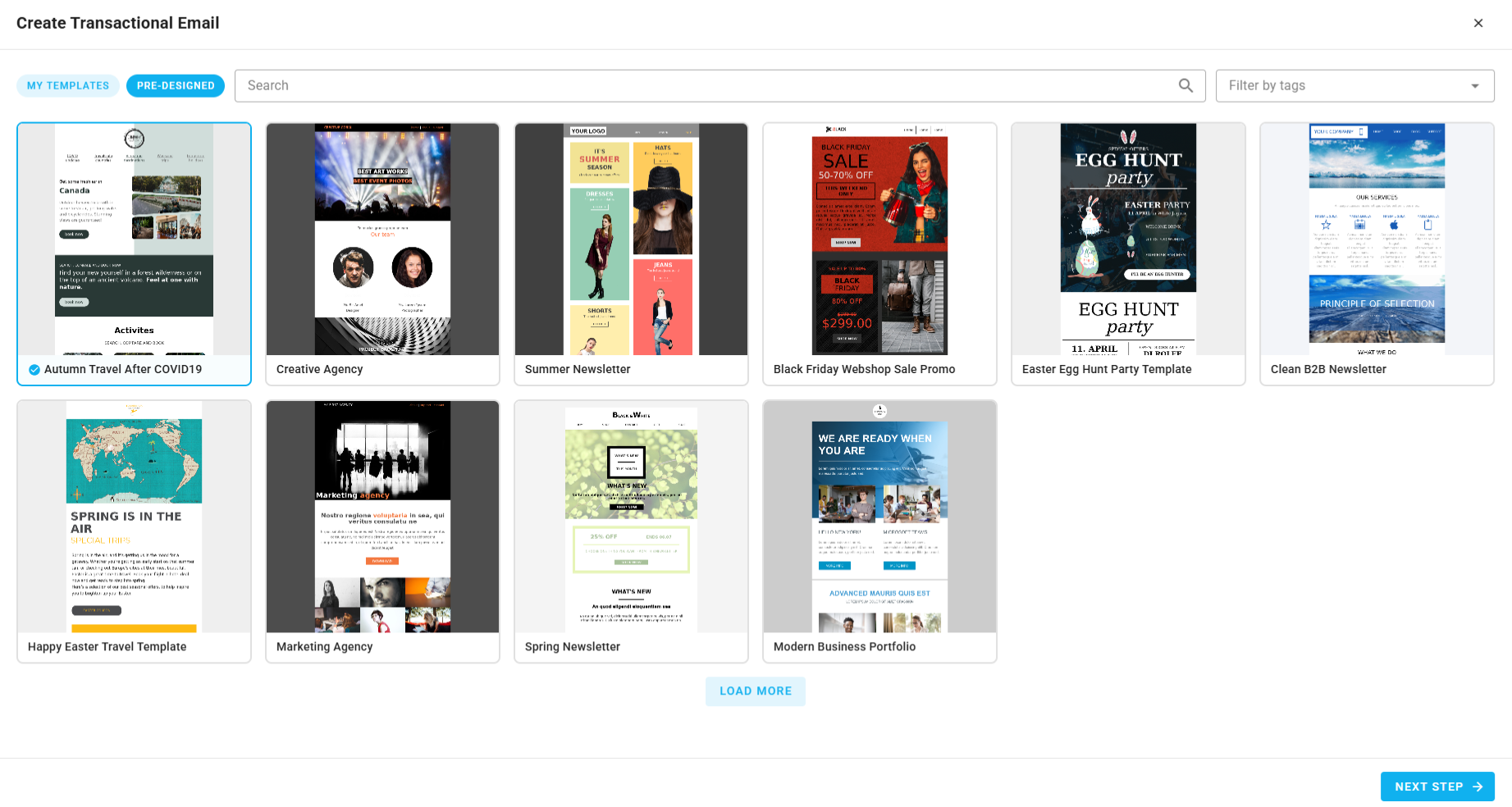
For example, when creating a transactional email, after selecting a template category from your design system, you can switch to pre-designed templates:
Editing After Selection
Once you select a pre-designed template and launch the editor, you can modify any part of the email using the drag-and-drop email builder. The template is just a starting point, all content, layout, and styling is fully editable.